Hold the Balance: Precision Arcade
TAP TO PLAY

Hold the Balance: Precision Arcade

Arcade Fun Clicker
Developer: Float Reckoners
Published: 2025-02-04
Updated: 2026-06-09

Reviews

Hold the Balance offers a clean and focused gameplay loop that rewards careful observation and steady hands. The physics feel responsive, and the difficulty ramps up at a fair pace. Each session feels different due to changing platform angles, which adds replay value. The global leaderboard provides motivation to improve. It is a good choice for players who enjoy mastering a single mechanic without distractions. The game respects your time and offers genuine skill progression.

Description

Game Introduction

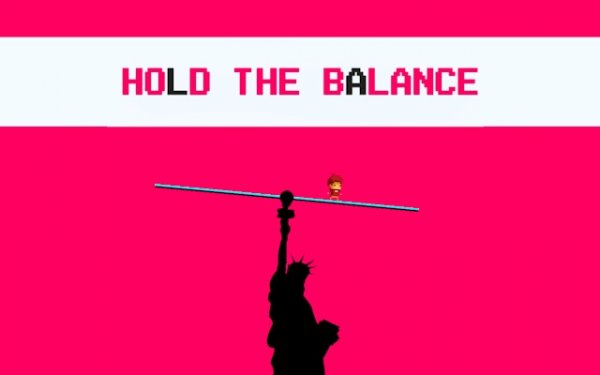
Hold the Balance: Precision Arcade Challenge is a physics-based arcade game that tests your ability to maintain stability under pressure. You control a hero standing on a platform that tilts with each ball you shoot. The core objective is to keep the platform level by carefully choosing where and how hard to shoot. The game starts simple but quickly becomes more complex as platforms shift and angles change. It offers a clean visual style and a global leaderboard for competitive play. This game is designed for players who enjoy mastering mechanics through practice and observation.

How to Play

To play, use your mouse or touch screen to aim at the platform. Click or tap to launch a ball. Watch how the platform reacts after each shot. If it tilts too much, shoot on the opposite side to correct it. Start with light shots to learn the physics. As the game speeds up, you need to make faster decisions. The key is to stay calm and adjust your strategy based on the platform's movement. Practice helps you develop a feel for the right force and angle.

Game Features

The game features physics-based precision gameplay that requires careful aiming. Dynamic challenges include shifting platforms and changing angles. Strategic control lets you decide shot power and direction. A global leaderboard allows you to compare scores with others. Clean and simple visuals keep the focus on the action. This game offers a rewarding experience for players who enjoy skill-based challenges. It is easy to pick up but hard to master, making it suitable for quick sessions or longer play. The physics system provides consistent feedback, helping you improve over time.

Tips for Success

To succeed in Hold the Balance, start with gentle shots to understand how the platform reacts. Observe the tilt direction and compensate by shooting from the opposite side. Stay calm as the speed increases—panicked shots often cause imbalance. Practice regularly to develop muscle memory for the correct force and angle. Use the global leaderboard to compare your progress and set personal goals. Focus on consistency rather than high scores initially, and gradually increase your speed as you become more comfortable with the physics.
Compatibility

This H5 game runs smoothly on:
• Desktop computers (Windows / Mac) • Mobile phones (iPhone / Android)
• Tablets (iPad / Android)
🌐 Best experienced with Chrome, Safari, or Edge
Faq
Is this game available on mobile devices?
Yes, the game is designed to work with touch controls, making it suitable for mobile browsers and tablets. You can play it on your smartphone or tablet by tapping the screen to aim and shoot balls at the platform.
Do I need to download anything to play?
No, Hold the Balance is an online arcade game that runs directly in your web browser. There is no need to download or install any software. Simply visit the game page and start playing immediately.
Can I play this game offline?
No, this is an online arcade game, so an internet connection is required to access and play it. The global leaderboard feature also relies on an internet connection to save and compare scores with other players.
Are there different difficulty levels?
The game does not specify fixed difficulty levels, but it naturally becomes more challenging as you progress. Platforms shift and angles change, and the speed increases, providing a gradual increase in difficulty without requiring manual selection.
Is there a way to restart a level if I lose?
Typically, arcade games of this type allow you to restart the current challenge after losing. You can usually click a restart button or simply reload the game to try again and improve your score.
Does the game have any in-app purchases or ads?
The game description does not mention in-app purchases or advertisements. As an online arcade game, it may include optional ads for free access, but this is not confirmed. Check the game page for specific details.
Advertisement