Fat Fat Horse Puzzle Platformer
TAP TO PLAY

Fat Fat Horse Puzzle Platformer

Platform Puzzle Keyboard Only
Developer: Idea Core Studio
Published: 2024-12-16
Updated: 2026-06-06

Reviews

Fat Fat Horse delivers a wholesome puzzle platforming experience. The levels are well-designed, gradually introducing new mechanics that keep the gameplay fresh. The lack of timers or enemies reduces stress, allowing players to focus on creative problem-solving. The cute art style and music add to the game's appeal. It offers good replay value for short sessions and is suitable for both children and adults looking for a positive gaming break.

Description

Game Introduction

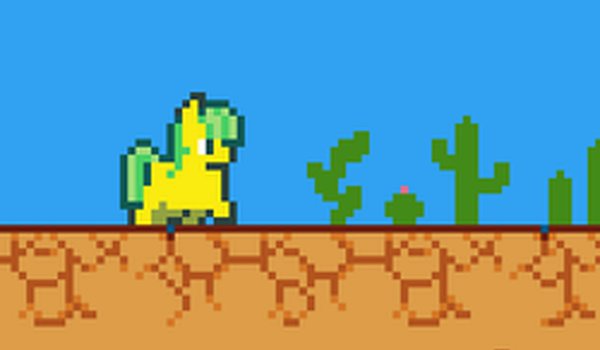
Fat Fat Horse Puzzle Platformer is a family-friendly game that combines simple platforming with light puzzle-solving. Players guide a cheerful, plump horse through a series of levels filled with gentle obstacles and brain-teasing challenges. The game emphasizes a calm, positive atmosphere with charming pixel art and soothing music, making it suitable for players of all ages. Each level encourages creative thinking and careful timing without the pressure of timers or enemies.

How to Play

Players control the horse using keyboard keys, typically moving left and right and jumping over obstacles. Special actions, such as rolling or activating switches, can be performed with additional keys. If stuck, players can restart the current level. The game gradually introduces new puzzle elements, allowing players to learn as they progress. Levels are designed to be completed in a few minutes, making it ideal for short play sessions.

Game Features

Features include a cute chubby horse character, relaxing puzzles that require thought without pressure, simple keyboard controls, and family-friendly levels suitable for all ages. The game also offers a soothing soundtrack and charming pixel visuals that enhance the experience. As a platform puzzle game, it may include a variety of obstacles and interactive elements that players must navigate through.

Tips for Success

Take your time to observe each level before moving. Patience and careful timing are key to solving puzzles. Use the restart option freely to try different approaches. Practice using the controls to become comfortable with movement and special actions. Pay attention to how new puzzle elements are introduced, as they often build on previous lessons. Enjoy the relaxing atmosphere and don't rush.

Compatibility

✅ This game supports:
- Desktop browsers (Chrome, Edge, Safari)
- Mobile browsers (Chrome on Android, Safari on iOS)
❌ Does NOT support: - Internet Explorer - Very old browser versions
👉 Try refreshing or updating your browser
Faq
Is Fat Fat Horse Puzzle Platformer suitable for young children?
Yes, the game is designed for all ages. It has no timers, enemies, or stressful elements, and the simple controls and gentle puzzles make it accessible for young players. The positive atmosphere and charming character also appeal to children.
Can I play this game on mobile devices?
The game tags indicate it uses keyboard-only controls, so it is primarily designed for desktop or laptop computers. It may not be optimized for touchscreens or mobile devices. Check the platform's requirements before playing.
How many levels are in the game?
The exact number of levels is not specified in the available information. However, as a puzzle platformer, it likely includes a series of progressively challenging levels. Players can expect a variety of stages that introduce new puzzle elements gradually.
Is there any in-game music or sound effects?
Yes, the game features a soothing soundtrack and charming visuals that enhance the experience. The music is designed to create a warm, inviting atmosphere. Sound effects likely accompany actions like jumping or activating switches.
Do I need an internet connection to play?
The game is described as an online game, so an internet connection is likely required to access and play it. However, once loaded, some online games may allow offline play. Check the specific platform for details.
What happens if I get stuck on a level?
If you get stuck, you can press the R key to restart the current level. The game encourages patience and creative thinking, so feel free to try different approaches. There is no penalty for restarting, and you can take as much time as you need.
Advertisement